
Signing up with HardBlock Australian Bitcoin Exchange
- Register an account.
- Using the orange Sign Up button on our homepage, enter your email and the password you would like to use for HardBlock, and then click Sign Up.
- Verify your email.
-
You will receive an email with a code that should be entered in order to verify your account.
You cannot proceed until you verify your email.
-
- Follow the steps to verify your identity. You will need the details of an official ID document handy, such as a drivers license.
If you input your details correctly, verification should be instantaneous. In some cases, where there is an issue, the system might ask you to try again, or in some cases it may move to a 'pending' status where one of our team needs to take a look.
If you get stuck, please reach out to our support email at support@hardblock.com.au
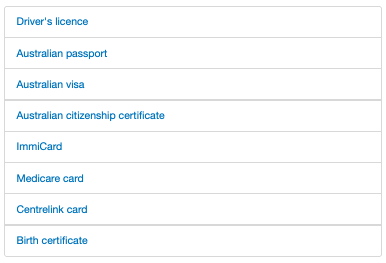
These are the forms of ID you can use to verify your account with us:
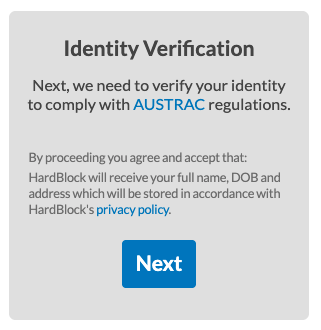
ID Verification Steps:
Review our Privacy Policy and then click "Next"
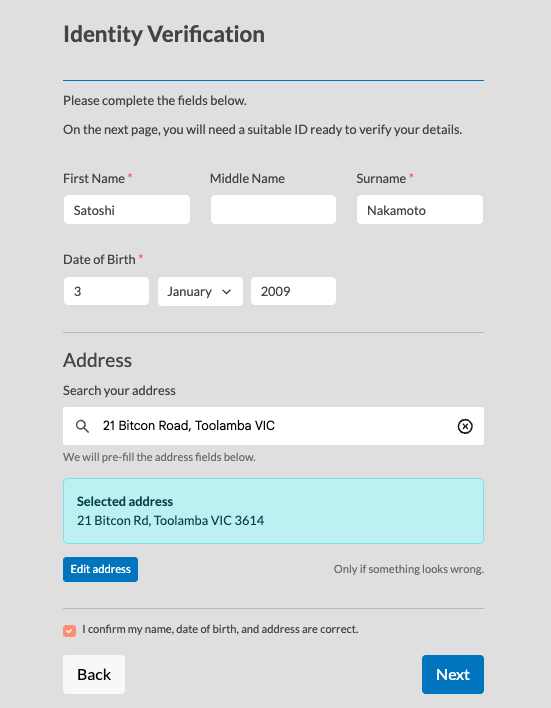
Fill in your details - name, date of birth, and address. Please check and ensure your details are correct - if the details don't match your ID you'll use at the next step, the verification won't work.
Choose which ID option you want to use to verify. Most of the time, Driver's License is the best option.
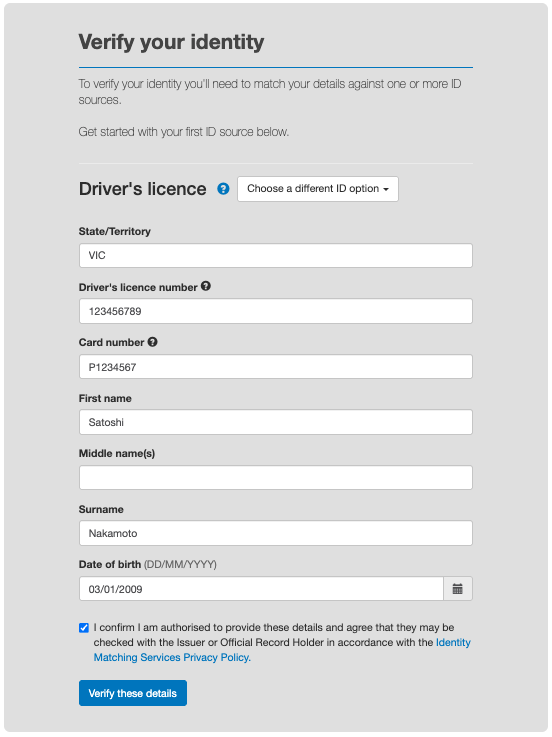
If there is a mismatch between your inputted details and your ID, the system will ask you to try again. After too many failed retries, it will ask you to contact our support helpdesk. In some cases, you may see a 'pending' status in which case our team will take action and reach out to you if necessary.
Once successfully verified, you will get access to your HardBlock account. You can then proceed with the following steps to fund your account and start buying Bitcoin:
- Verify your phone number (to make your first AUD deposit)
- Follow the prompts to verify your phone number with the code sent to your phone by SMS.
- Make a deposit of Australian dollars, any amount is fine, you can start with as little as a dollar (look for Australian Dollars > Deposit on the menu).
- This step is to create a link between your bank account and your HardBlock account. You can deposit up to $2000 every 24 hours and exchange it for Bitcoin.
- One of our team members will call you to verify details about your deposit, usually within a working day of when your first deposit is received. This takes only a couple of minutes. If you're unable to take the call, we'll send you an email where you can schedule a call with us when you're available.
- We reserve the right to not verify accounts. See our Terms of Service here for more details,
- Your account set up will be complete four days after your first deposit of Australian dollars.
- This rigorous process is required to ensure we comply with AUSTRAC regulations.
- Your account set up is now complete. You can now withdraw Bitcoin from your HardBlock account to your Bitcoin wallet.
If you ever have any questions, we're here to help: support@hardblock.com.au.