
Setting up automated BTC selling & AUD withdrawals
Using our Automation settings for Auto-Sell & Auto-Withdraw, you can make BTC deposits to your Hardblock account which are exchanged to Australian Dollars as soon as the transaction arrives, and then sent to your specified bank account – without a need for you to log in Hardblock.
You will need to sign up before setting up your automations.
Enabling Auto-Sell
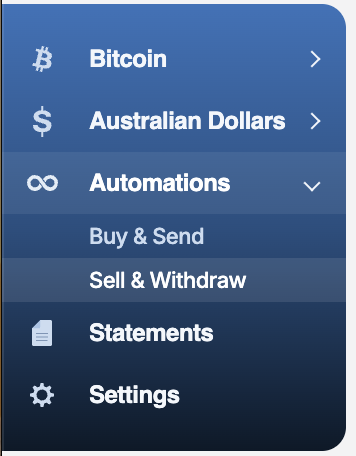
- Login to your Hardblock account and head to Automations > Sell & Withdraw
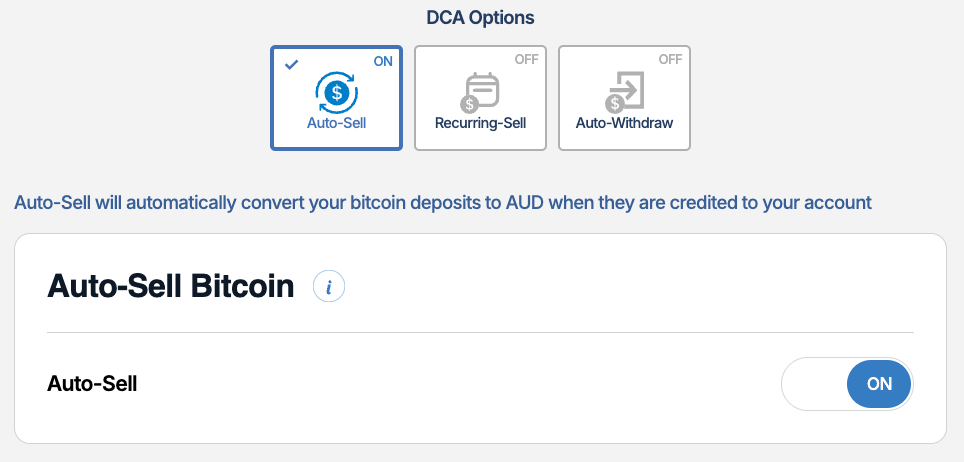
- Under Auto-Sell, set the toggle to 'ON'. While enabled, anytime Bitcoin arrives into your Hardblock account, it will be immediately sold into Australian Dollars.
Setting up Auto-Withdraw (AUD)
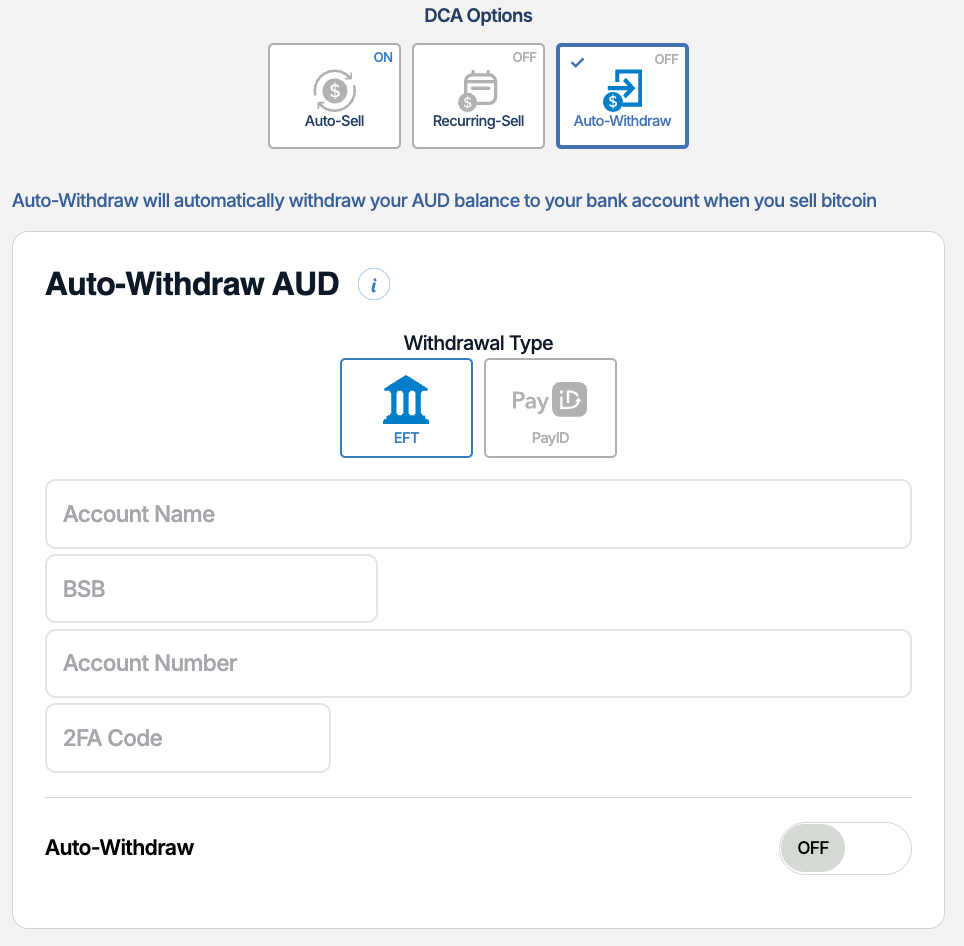
- Still under Automations > Sell & Withdraw, switch over to Auto-Withdraw
- Enter your bank details & 2FA code (if enabled), then switch the toggle to 'On'. Now whenever your account receives an Australian Dollar balance (ie from a sale of bitcoin), it will automatically send those dollars to the specified bank account.
Double-check & ensure your bank details are correct. We cannot guarantee that withdrawals made to the incorrect details will be recoverable, and withdrawals made to invalid details may result in a bank dishonor fee.
You're done! Now, whenever you send bitcoin to your Hardblock account from your self-custodial wallet, it will automatically be sold into Australian Dollars and sent to your bank account.
If you need help with setting up these automations, please reach out to support.